
The Trustless Operating System for sovereign computing.


While you can run NONOS on any decent USB stick, the official NONOS Secure USB takes security to the next level.
This isn’t a generic thumb drive, it’s a purpose-built hardware companion for the NONOS operating system, designed to protect your data even against sophisticated threats.

The NONOS Secure USB device incorporates a dedicated cryptographic security chip (often called a secure element). Think of this like a vault built into the USB. It can store sensitive information (such as encryption keys, recovery seeds, or certificates) in a tamper-resistant way.
If someone connects this USB to a computer and tries to extract secrets or clone it, the secure element prevents unauthorized access. Your private keys never leave the device unencrypted.
In practical terms, this means even if NONOS (or any OS) is running on a compromised machine, the most sensitive secrets on the USB hardware remain safe.
The hardware isn’t just storage, it actively participates in security protocols. The USB can authenticate itself to the NONOS OS during boot, ensuring that the OS only runs if it detects it’s on genuine NONOS hardware.
Similarly, the device can verify the integrity of the NONOS image (using signatures) before booting, so you’re always running an untampered copy. This dual handshake (trusting the device and the device trusting the software) means an attacker can’t slip a modified OS past you, nor can NONOS be run on an unapproved drive.
It’s a bit like a lock-and-key mechanism: the secure USB is the lock, and only a properly signed NONOS can turn that key.
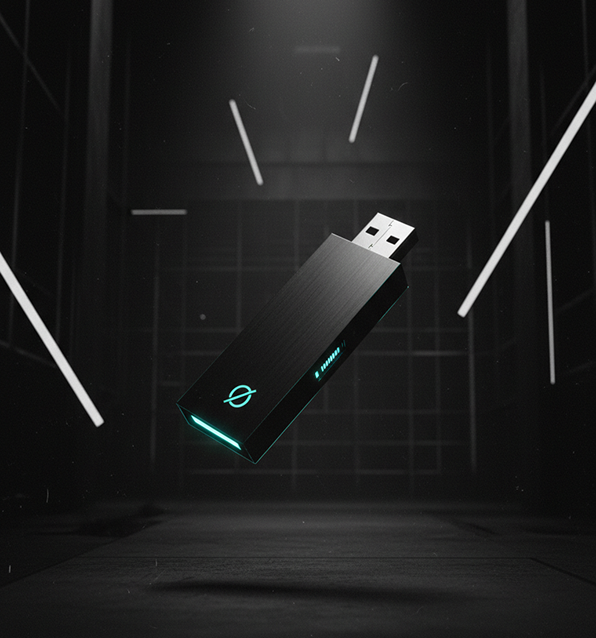

The NONOS Secure USB effectively combines the functions of a crypto hardware wallet and a login security token (like a YubiKey).
It can securely store cryptocurrency private keys, 2FA credentials, or identity certificates, allowing NONOS to use these for transactions or logins without exposing them to the computer’s memory in plaintext.
For example, you could keep your Bitcoin or Ethereum keys on the device, when you make a transaction in NONOS, the signing happens in the device’s secure enclave, so malware on the PC can’t steal your key. Likewise, the device could store a PGP key or corporate VPN certificate and perform cryptographic operations on behalf of NONOS, but never divulge the secret key material.
This greatly reduces risk for high-value activities like managing funds or accessing secure networks.
The secure USB is designed with both consumers and enterprise deployments in mind. It uses high-quality, durable components since it’s meant to be your daily security companion.
For individual power-users, say, a journalist or a crypto enthusiast, it offers peace of mind that even if their NONOS session were somehow compromised, the hardware would shield their most critical secrets (like identity or wallet keys).
For organizations, these devices can be issued to employees as pre-configured secure work environments. For instance, a company could give staff a NONOS Secure USB to carry when traveling; even if it’s lost or stolen, the data on it is encrypted and safe. And when used, it ensures the employee is booting a trusted OS and that company VPN keys or documents on the stick are hardware-protected.
When you plug in the official device and boot NONOS, there’s an additional verification step under the hood, the OS and the USB firmware exchange cryptographic proofs to confirm each other’s legitimacy.
The user might not even notice this happening (it’s seamless and only adds a second or two to boot), but it establishes a chain of trust from the moment you power on. If someone had tampered with your USB or tried to load a fake NONOS, you’d get an alert or it simply wouldn’t unlock.
You can also set a PIN or passphrase on the device for an extra layer, so even physical possession of the USB isn’t enough to use it.

In summary, the NONOS Secure USB hardware is all about trust and protection. It ensures that NONOS runs in the most secure way possible and that your sensitive assets are locked in hardware.
It’s an optional add-on, you can use NONOS without it, but for those who want maximum security, it provides a level of assurance unattainable with standard USB sticks.
This device truly makes NONOS a complete security solution, marrying secure software with secure hardware.

The Trustless Operating System for sovereign computing.