
The Trustless Operating System for sovereign computing.


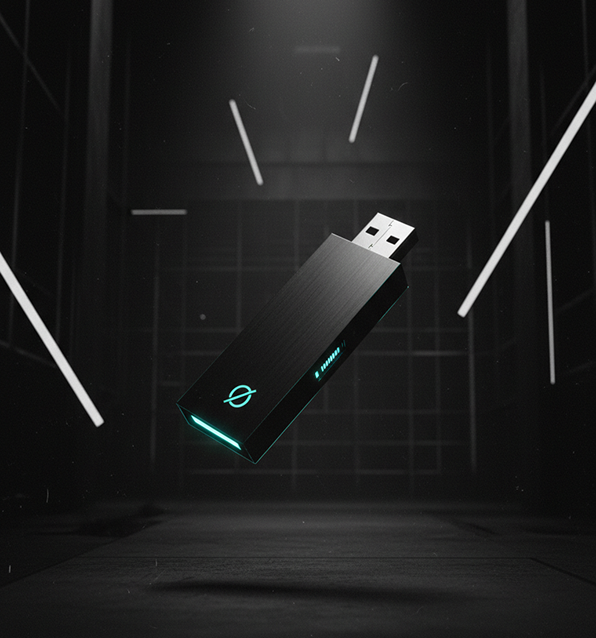
NONOS isn’t a typical installed program, it’s a complete operating system that you run when you need it, straight from a USB drive. Here’s what happens when you use NONOS:

You start by inserting the NONOS USB stick into any compatible PC and rebooting. Instead of loading the computer’s usual OS from its hard drive, the machine will boot from the USB. Within seconds, you’re greeted by the NONOS interface.
(If needed, you can adjust the boot order in your PC’s BIOS settings to enable booting from USB, a one-time step.)
There’s no installation process and no changes made to the host computer’s internal disk. It’s like carrying your own computer environment in your pocket, one that launches on demand.
Once running, NONOS provides a secure, isolated workspace entirely in the computer’s memory. Think of it as a fresh computer that boots up clean every time. Any apps you open or any files you create during the session reside in RAM (memory) rather than being saved to the hard drive by default.
This means you can work freely, browse the web, open documents, analyze files, without fear that some malware will infect the computer or that sensitive traces will remain afterward.
The design is non-persistent: if you accidentally download a virus while in NONOS, that malware lives only in the temporary session. When you’re done, you shut down or pull out the USB - the entire session vanishes.
All malicious code, tracking cookies, or personal data from that session disappear as if they were never there.
The next time you boot NONOS, you start fresh, with no baggage from previous use.
Reported cybercrime losses are massive:
859,532 complaints and
in reported losses (U.S., IC3 2024). Check this link →
Under the hood, NONOS applies a zero-trust philosophy. It treats all programs as untrusted by default and tightly controls what they can do.
Applications on NONOS are cryptographically signed and run in isolated sandboxes, meaning a sketchy PDF or EXE can’t harm other parts of the system. The OS doesn’t allow writing to the host PC’s disk unless you explicitly permit it for things like saving a file to an external drive.
This containment ensures that even if you encounter ransomware or a keylogger, it can’t embed itself permanently or spy on data outside the current session.
Additionally, the core of NONOS is minimal and locked-down, with no unnecessary services listening for connections. That dramatically shrinks the attack surface compared to a typical OS that might have myriad background processes.
When you finish using NONOS, you simply shut down and remove the USB. The next boot, your regular operating system (Windows, macOS, etc.) will load as usual from the computer’s hard drive, totally unaware that NONOS was ever there.
Because NONOS by design leaves no trace on the host, it won’t conflict with your work computer or personal OS. You can think of it like a secure bubble that temporarily takes over the hardware and then cleanly departs.
If you need to keep files from your NONOS session, you can save them to an external USB or cloud storage during the session, or utilize the persistent storage feature of the official NONOS USB device (which keeps encrypted data if you choose to).
In summary, NONOS works by temporarily transforming any PC into a highly secure environment, then restoring it to its original state when you’re done.
There’s no installation, no permanent footprint, and no intermingling with the host system.
This approach allows you to confidently use untrusted networks or open questionable files, knowing that once you power off, everything you did in NONOS is wiped away and your main system remains untouched.

The Trustless Operating System for sovereign computing.