


The Trustless Operating System for sovereign computing.


1. Install or update Rabby
Add the Rabby extension to your browser, download the mobile app or install the desktop version.
Open the wallet and set the network to Ethereum at the top of the screen.
Make sure you have backed up your seed phrase.
2. Add ETH to your Rabby wallet
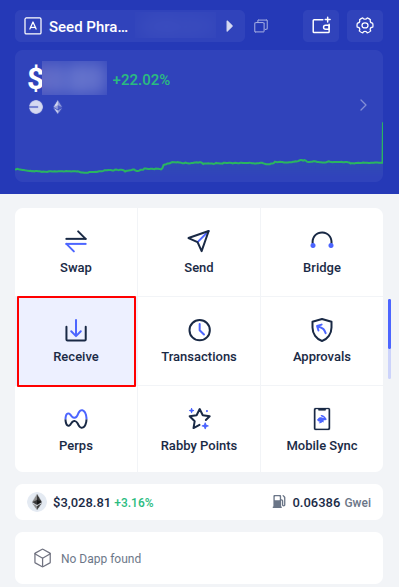
Click “Receive” in the main grid of icons.
Copy your Ethereum address from the Receive screen.
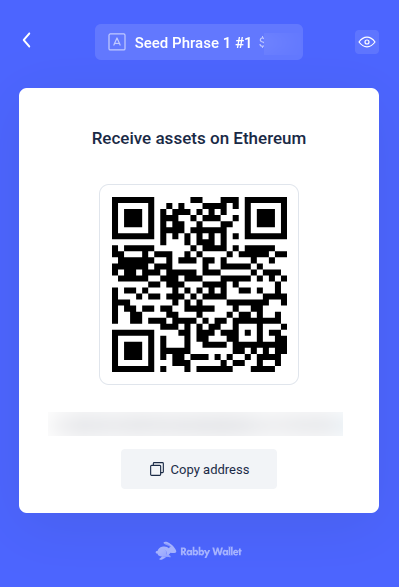
Send ETH to this address from an exchange or from another wallet that you already use.
Once the transfer confirms on Ethereum, your ETH balance updates at the top of the Rabby home screen.
Open the swap tool
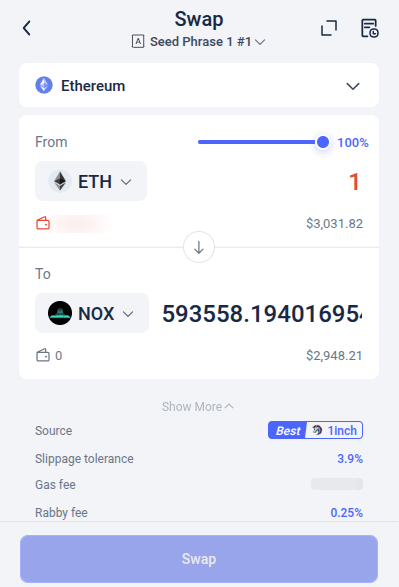
In the main grid of icons, click Swap.

This opens Rabby’s swap screen.
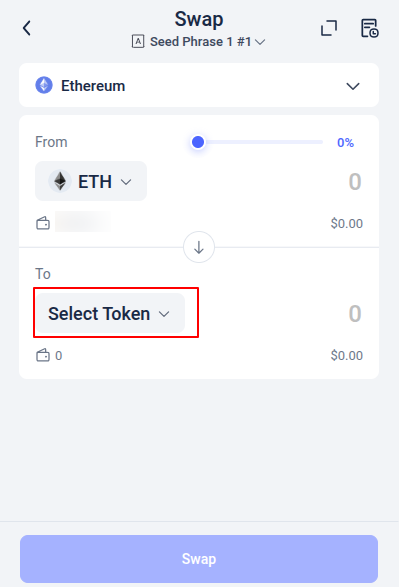
The From token defaults to ETH if you hold ETH.
Search for NOX
In the To field, click the token selector.
Paste the NOX contract address into the search field:
0x0a26c80Be4E060e688d7C23aDdB92cBb5D2C9eCA
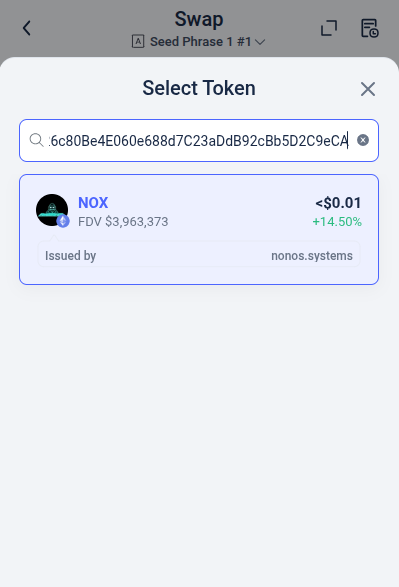
Rabby lists NOX because it is supported.
Select NOX to lock it into the swap form.
Set slippage to 3–5% to match the transfer tax.
3. Complete the swap
Enter the amount of ETH you want to trade.
Review the route and details shown by Rabby.
Click Swap.
Approve the action in the extension when it asks.
Rabby submits the transaction through a DEX route.
4. Check your NOX balance
Return to the home screen.
Your NOX balance shows under the asset view once the transaction is confirmed on Ethereum.
If it does not appear at once, give the extension a moment to refresh.
How to buy NOX on Rabby works the same no matter where you get your ETH. If the swap does not pass, adjust your slippage, check your gas, or retry with a smaller amount. For other wallets, you can see the rest of the NOX guides.
The Trustless Operating System for sovereign computing.