

The Trustless Operating System for sovereign computing.


Trust Wallet provides a straightforward way to buy the NOX token using built-in card purchases and a swap feature powered by decentralized exchange routes such as 1inch. It supports both mobile and browser extension versions. The process involves buying ETH first, then swapping it for NOX.
1. Install or update Trust Wallet.
Download or update the app to the latest version. Open the wallet and confirm the active network is Ethereum.
1. Make NOX visible (token import).
Step 1 – Access the token management menu: Tap Manage Crypto from the home screen, then tap the “+” icon in the upper-right corner.
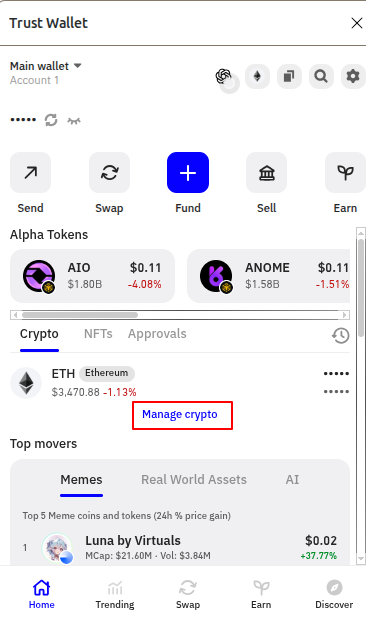
Step 2 – Import the token: Tap Import your crypto, then paste the official NOX contract address in the search field:
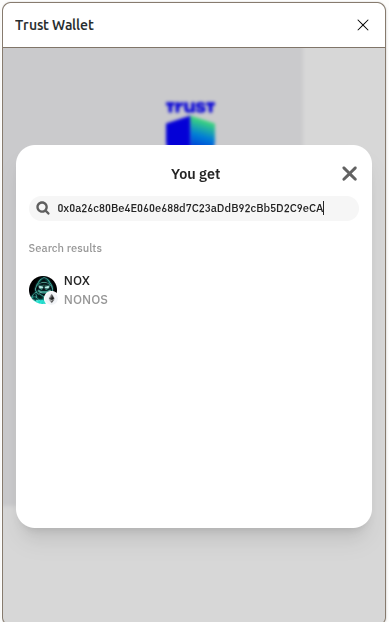
0x0a26c80Be4E060e688d7C23aDdB92cBb5D2C9eCA
The NOX token will appear automatically.
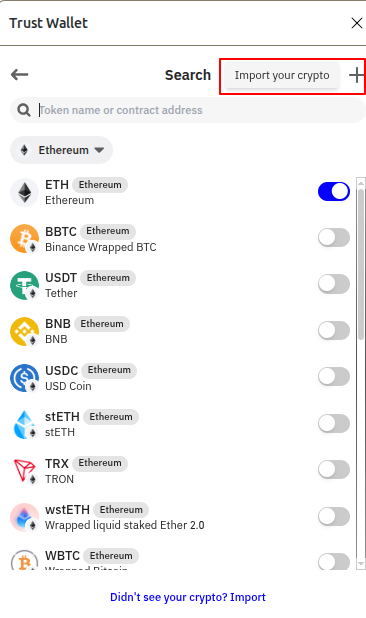
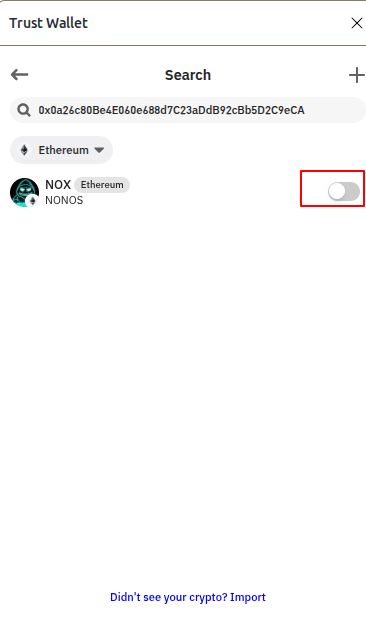
Step 3 – Enable the token: Toggle the switch beside NOX so it turns blue. This activates the token in your visible list.
Return to your home screen and confirm NOX now appears in your token list.
3. Fund your wallet with ETH.
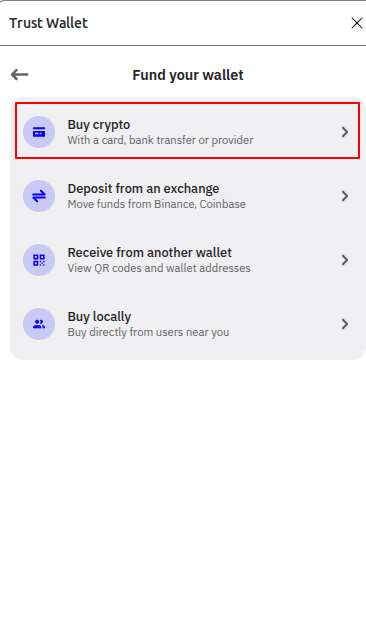
Tap Fund (+) on the home screen, then choose Buy crypto.
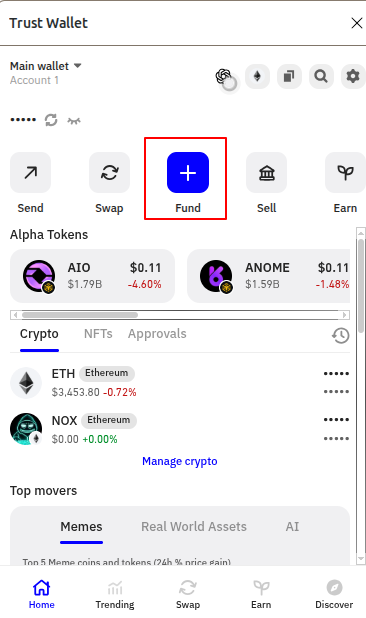
Select currency: Choose Ethereum (ETH).
Enter amount: Specify the amount of ETH you want to buy.
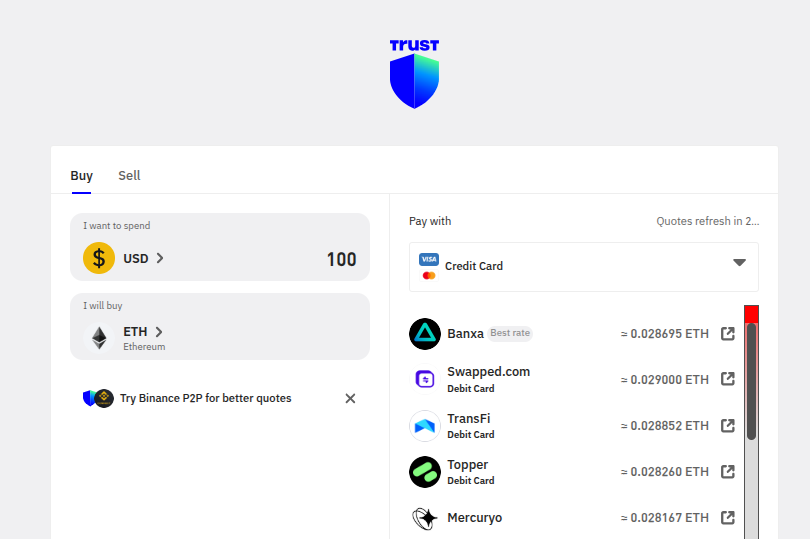
Select provider: Pick a supported provider such as MoonPay, Transak, Bansa, Mercuryo, or Binance Connect. Complete KYC verification if prompted. The purchased ETH will appear in your wallet after confirmation on the Ethereum network.
4. Swap ETH for NOX.
Tap Swap at the bottom of the screen.
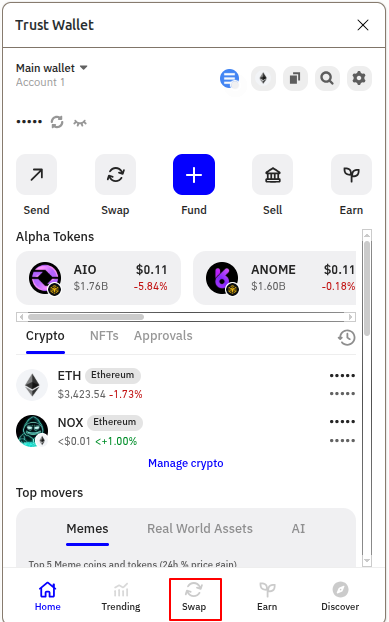
From: ETH
To: Paste the NOX contract address instead of typing “NOX.”
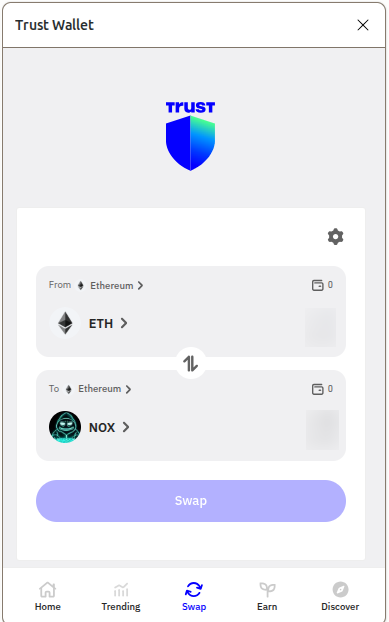
Tap Preview Swap → Confirm Swap to execute.
5. Confirm and verify.
Wait for the Ethereum network to confirm the swap. Once complete, your NOX balance will appear in your wallet. If it doesn’t, revisit step 2 to confirm the token is toggled on.
Trust Wallet’s swap feature routes through DEX aggregators like 1inch for best execution. Always ensure the contract address you use is 0x0a26c80Be4E060e688d7C23aDdB92cBb5D2C9eCA before confirming any swap.
The Trustless Operating System for sovereign computing.