


The Trustless Operating System for sovereign computing.


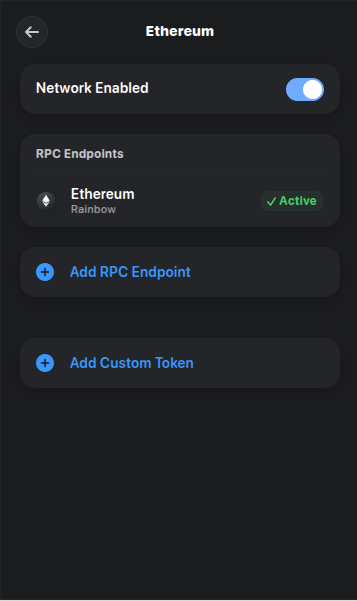
1. Confirm the Ethereum network is enabled.
Open Settings in Rainbow.
Scroll to Networks and make sure Ethereum is turned on using the toggle.
Return to the home screen once confirmed.

2. Buy ETH with a supported provider.
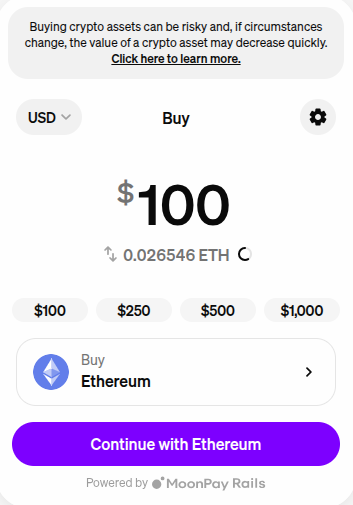
- Tap Buy on the home screen.
- Select Ethereum (ETH).
- Choose a provider such as MoonPay or Coinbase Pay.
- Enter the amount of ETH you want to purchase and complete the checkout steps.
Some providers may require KYC. ETH appears in your wallet once the transaction is confirmed on Ethereum.
3. Swap ETH for NOX.
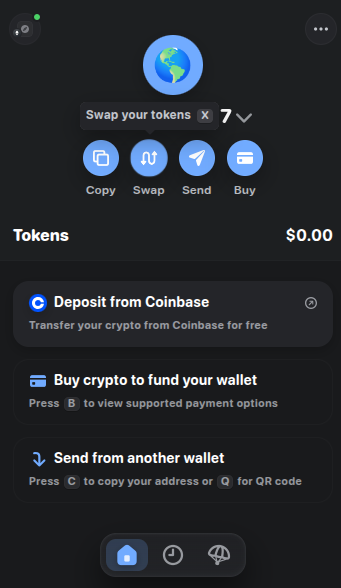
From the NOX token page, tap Swap.
From: ETH
To: NOX
Open the slippage settings and set 3–5% to cover transfer tax.
Review the route, then tap Swap to confirm.
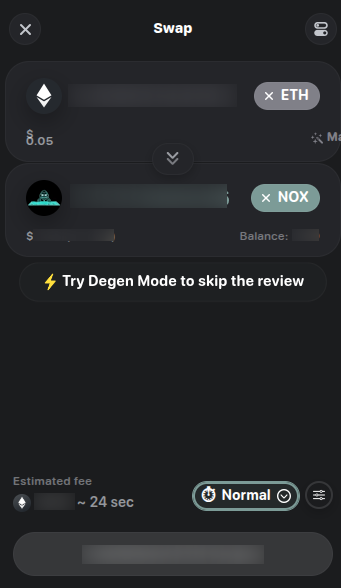
Rainbow routes swaps through its internal router to source the best on-chain price.
4. Confirm and verify.
After the Ethereum confirmation, your NOX balance appears in your asset list. If it does not show, use the search bar, paste the contract again, and ensure NOX is added to your visible tokens.
If you prefer, you can connect Phantom to app.uniswap.org, paste the same contract address, set 3–5% slippage, and swap there. In all cases, confirm the address is 0x0a26c80Be4E060e688d7C23aDdB92cBb5D2C9eCA before approving a swap.
The Trustless Operating System for sovereign computing.