

The Trustless Operating System for sovereign computing.


How to Buy NOX in OKX Web3 is simple once you know how the OKX app links its exchange and Web3 wallet. OKX Web3 keeps your keys on your device, and swaps take place on Ethereum. This guide explains how to buy NOX in OKX Web3 with a clean flow: you add ETH to your Web3 wallet, open the swap screen, search for NOX using the contract address, and complete your trade.
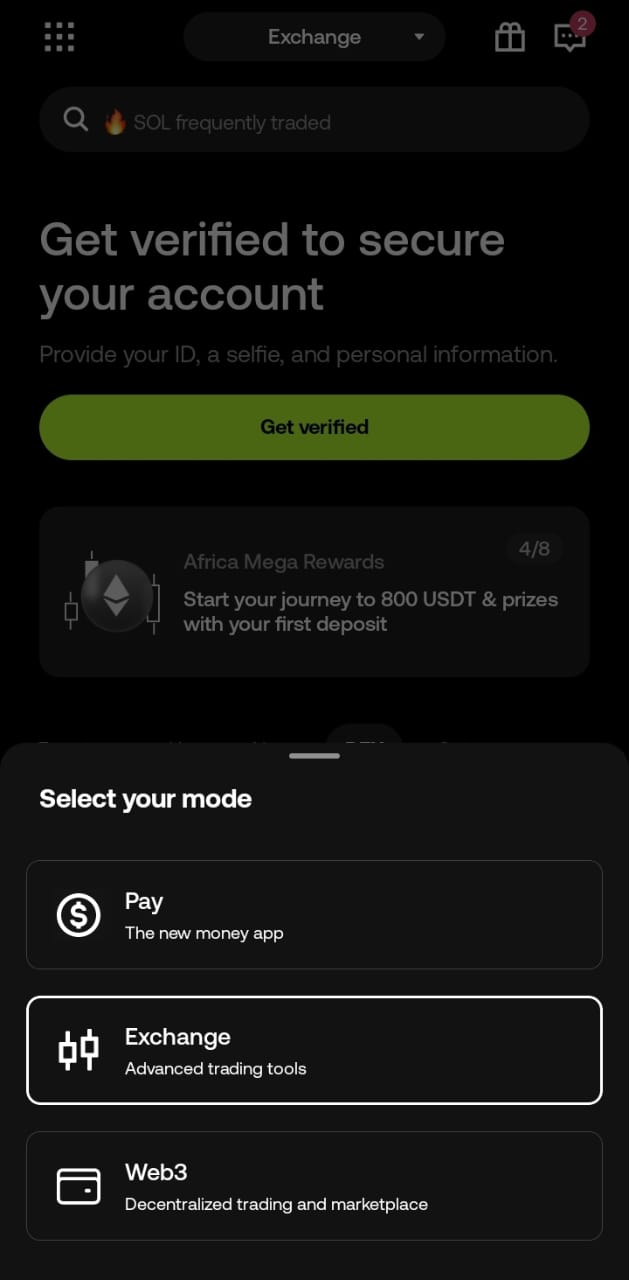
1. Open OKX and switch to Web3 Wallet
Open the OKX mobile app.
Tap the Wallet tab at the bottom, then select Web3.
Confirm your wallet is unlocked and set to Ethereum.
If the network is different, change it at the top.
2. Add ETH to your OKX Web3 wallet
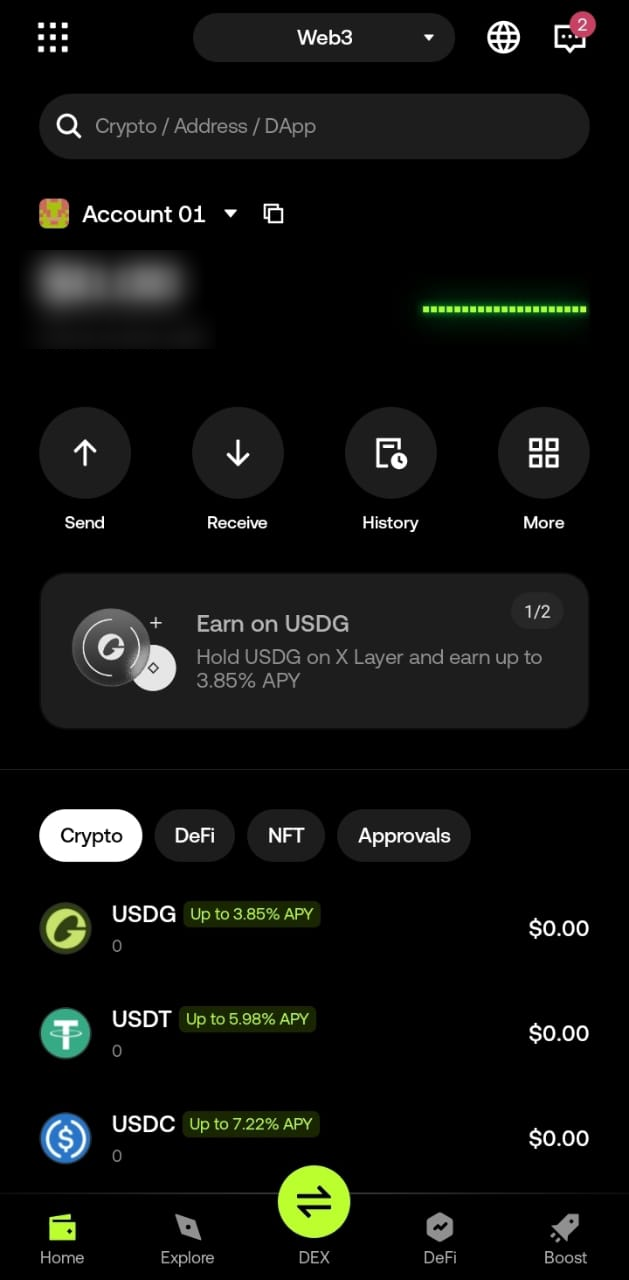
You can fund ETH in two ways:
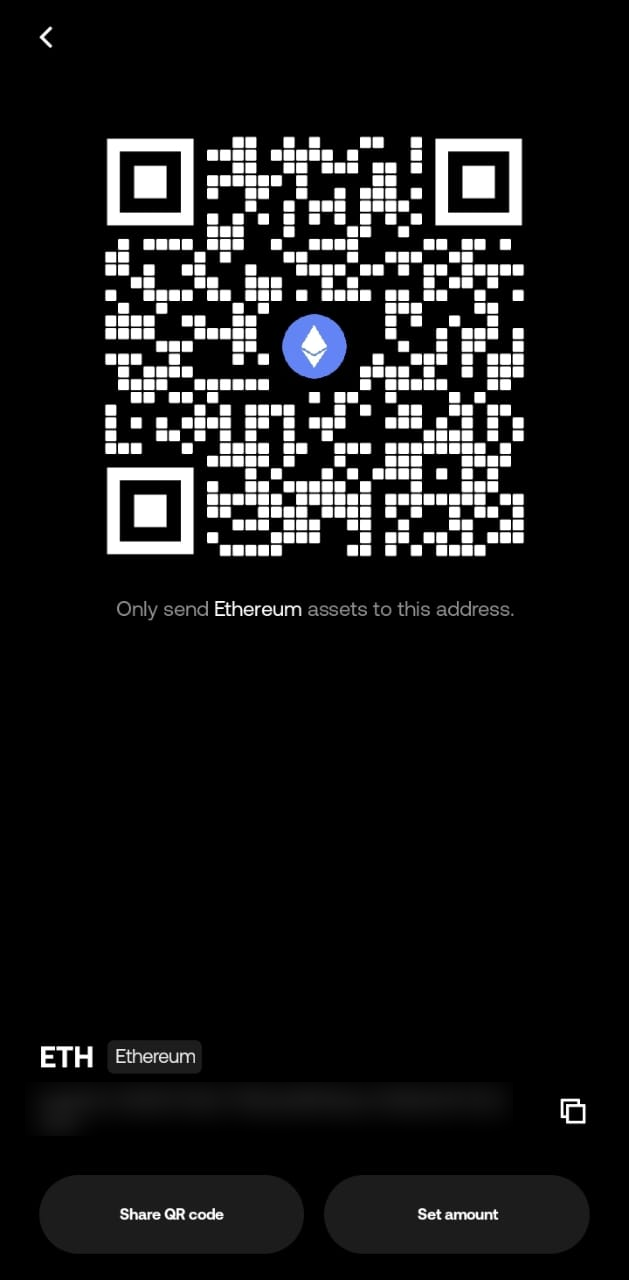
Use Receive: Tap Receive, choose Ethereum, and copy your address. Send ETH from OKX CEX, Binance, Coinbase, or any wallet you control.
Use Buy: Some regions show Buy inside Web3 to purchase ETH with card or local methods.
Your ETH appears once the Ethereum transaction confirms.
3. Open the Swap tool
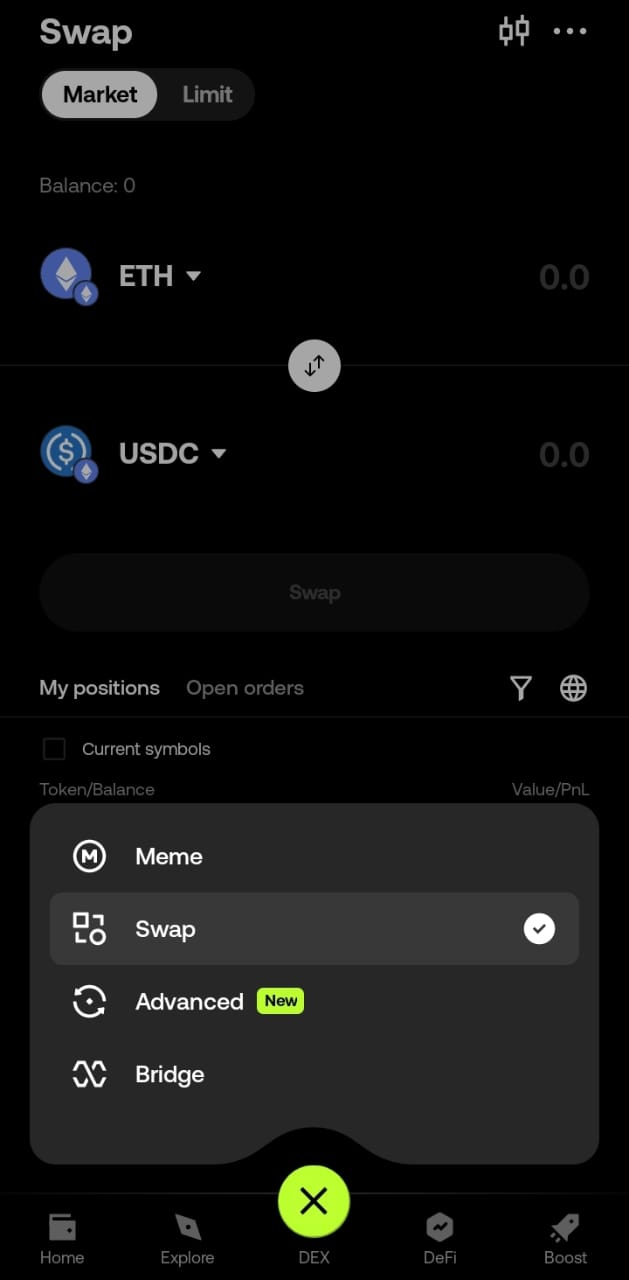
In the Web3 Wallet screen, tap Swap.
The form loads with From set to ETH if you have ETH in your wallet.
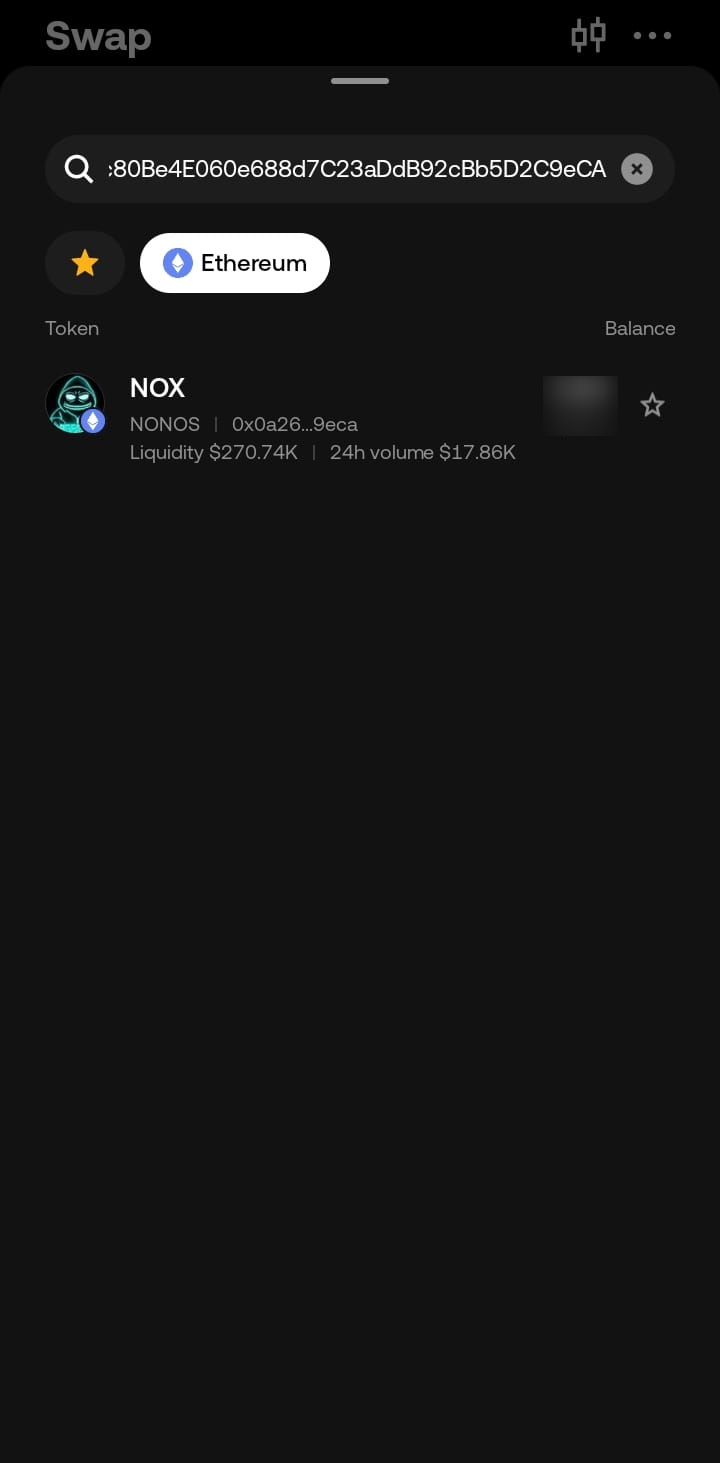
4. Search for NOX by contract
Tap the token selector in the To field.
Paste the NOX contract address into the search box:
0x0a26c80Be4E060e688d7C23aDdB92cBb5D2C9eCA
OKX Web3 detects NOX and shows it in the list.
Tap NOX to add it to the swap form.
Set slippage to 3–5% to allow the swap to pass the transfer tax. Close the settings panel.
5. Swap ETH for NOX
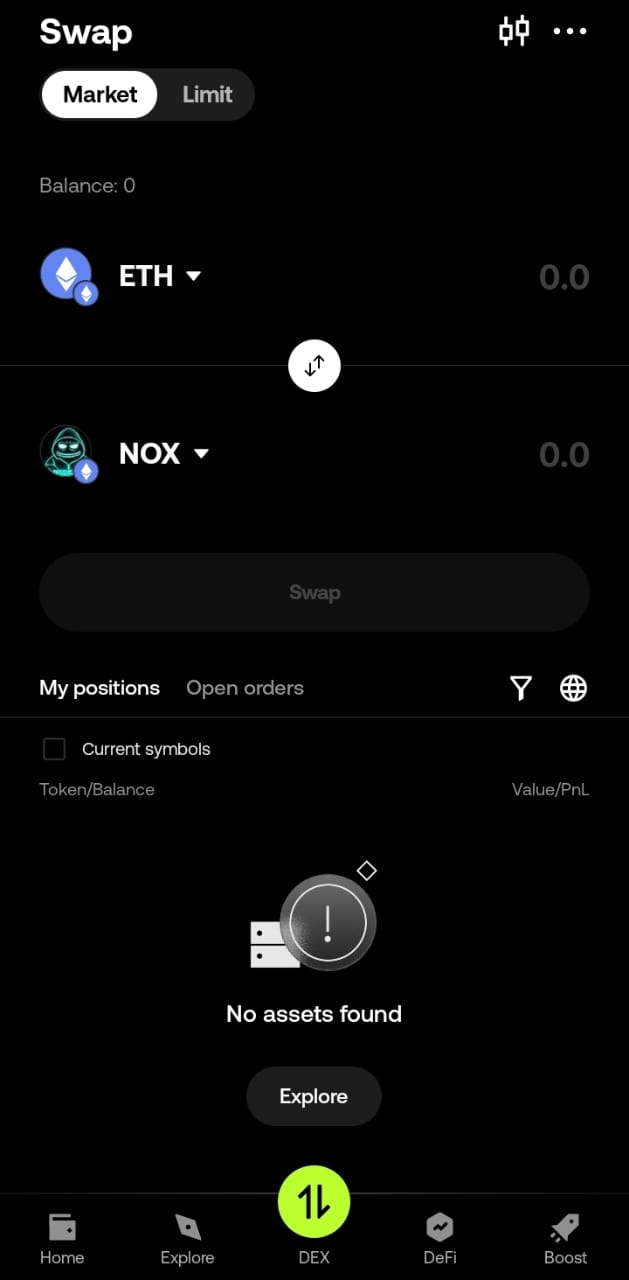
Enter the amount of ETH you want to trade.
Tap Swap.
Review the route and fees.
OKX Web3 uses its own DEX aggregator to find a route on Ethereum.
Approve the transaction inside your wallet when asked.
6. Check your NOX balance
Return to your Web3 asset list.
You will see NOX once the transaction confirms.
If it does not show instantly, give the wallet a moment to refresh.
How to Buy NOX in OKX Web3 works the same across regions once ETH is in your wallet. If a swap fails, adjust slippage or check your gas. For more wallet options, see the rest of the NOX guides on the NONOS site.
The Trustless Operating System for sovereign computing.