

The Trustless Operating System for sovereign computing.


MetaMask remains one of the simplest ways to buy the NOX token. It supports both mobile and browser versions and provides built-in options for buying ETH with a card or bank transfer. Once you have ETH, you can swap it directly for NOX within the wallet. Follow these steps to complete the process securely.
1. Install or update MetaMask.
Open the wallet and ensure you’re using the latest version. Confirm that the active network is set to Ethereum Mainnet.
2. Make NOX visible (token import).
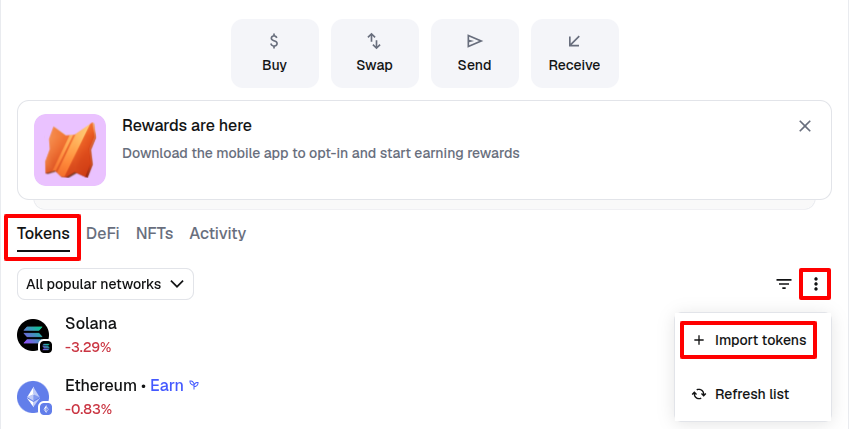
Step 1 – Access the token import menu: From the Tokens view, scroll down and click Import tokens. Choose Custom token to add a token manually.
Step 2 – Paste the contract address: In the Token Contract Address field, paste the official NOX contract:
0x0a26c80Be4E060e688d7C23aDdB92cBb5D2C9eCA
Once pasted, MetaMask automatically fills the token symbol (NOX) and decimals fields.
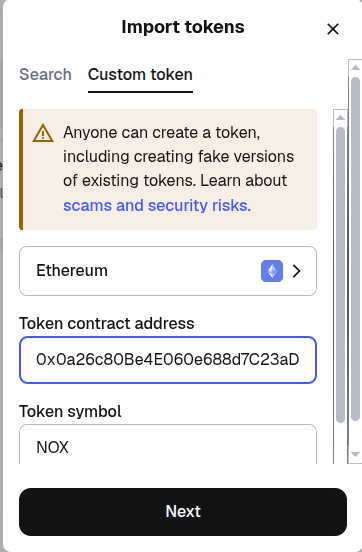
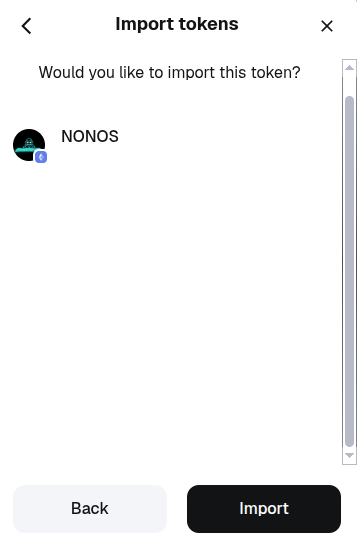
Step 3 – Click Next → Import to finish adding NOX to your list. This step only makes NOX visible in your wallet—it doesn’t purchase the token.
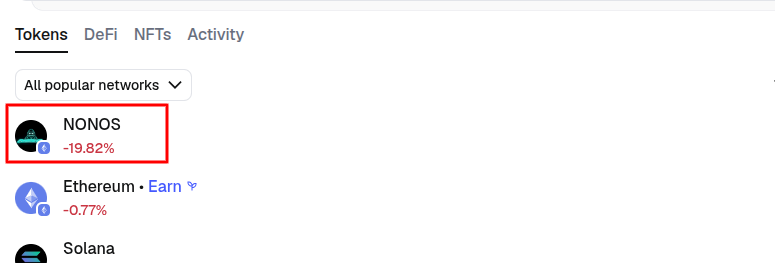
Once imported, the NONOS token should appear in your list of tokens.
3. Buy ETH with a card or bank method.
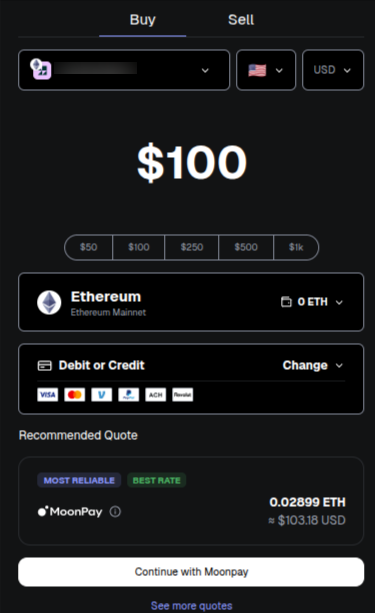
Tap the NONOS token and then Tap Buy. You will be redirected to the MetaMask buy/build quote portal. Ensure your wallet is connected then select your country and preferred currency. Enter the amount you want to spend to buy ETH and select a listed provider such as MoonPay, Transak, or Coinbase Pay. Proceed and purchase ETH. Complete KYC if prompted. Your ETH will appear in your balance once confirmed on-chain.
4. Swap ETH for NOX.
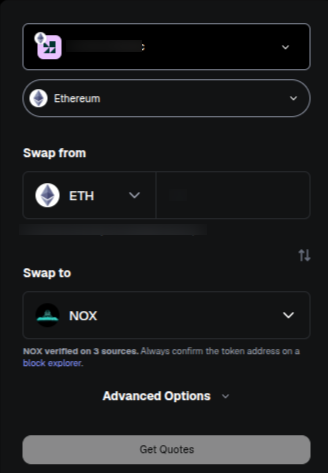
Tap Ethereum in the token list then tap Swap.
From: ETH
To: Paste the NOX contract address again instead of typing “NOX.” Set Slippage = 3–5 % to allow for the transaction tax. Tap Review Swap → Swap to execute.
5. Confirm and verify.
Wait for the Ethereum network to confirm the transaction. Your NOX balance will then appear under Tokens. If it does not, repeat step 2 to display it.
The MetaMask swap engine automatically checks prices across multiple decentralized exchanges such as Uniswap and 0x. Always confirm that the contract address matches 0x0a26c80Be4E060e688d7C23aDdB92cBb5D2C9eCA before approving any swap.
The Trustless Operating System for sovereign computing.