

The Trustless Operating System for sovereign computing.


How to Buy NOX in KuCoin Web3 is based on the Web3 Wallet inside the KuCoin app, not the spot account. KuCoin Web3 Wallet is a self-custody wallet with an integrated swap aggregator, so trades happen on-chain while you hold your keys. This guide explains how to buy NOX in KuCoin Web3 by funding ETH first, then swapping to NOX with the correct contract address.
1. Open KuCoin Web3 Wallet and set Ethereum
Open the KuCoin mobile app.
Go to the Web3 section from the main navigation.
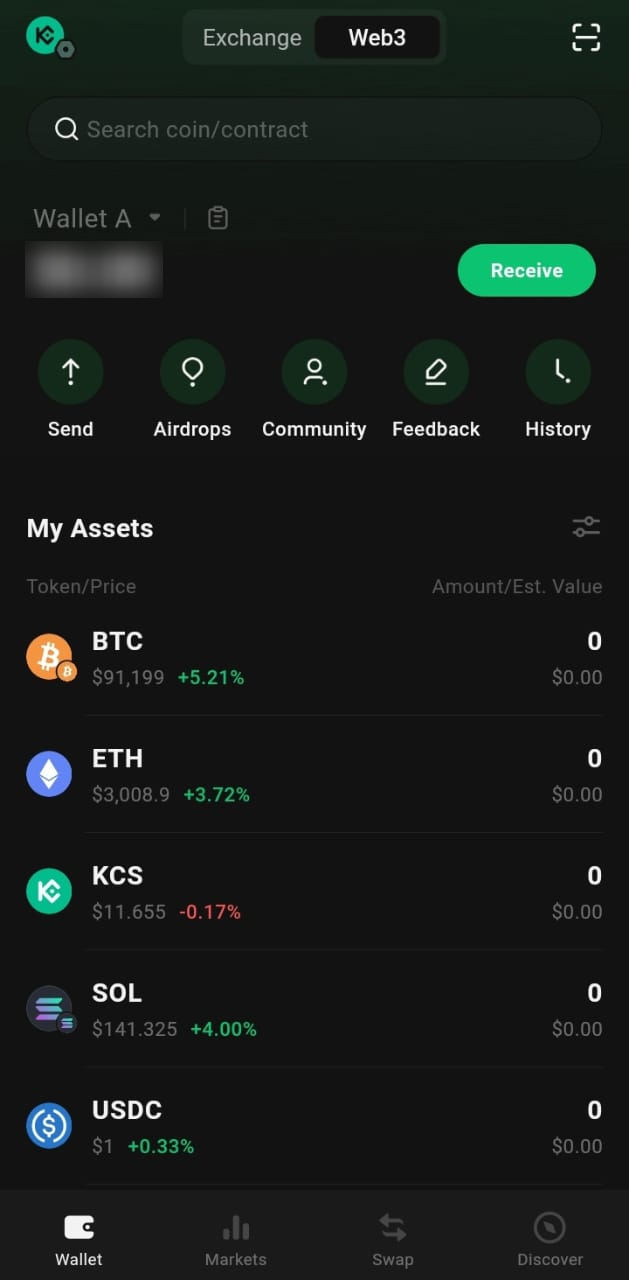
Unlock your Web3 Wallet if asked.
At the top of the wallet view, make sure the network is set to Ethereum.
If another chain is selected, switch it to Ethereum.
2. Fund your KuCoin Web3 Wallet with ETH
You need ETH in KuCoin Web3 before you can buy NOX. KuCoin supports sending assets from the exchange side into the wallet, and you can also receive from outside.
You have two main options:
1. Internal transfer from KuCoin exchange
- On the exchange side, withdraw or transfer ETH to your Web3 Wallet address.
- Follow the prompts in the app to move ETH into Web3.
2. Receive from an external wallet or another exchange
- In Web3 Wallet, tap Receive.
- Select Ethereum and copy your ETH address.
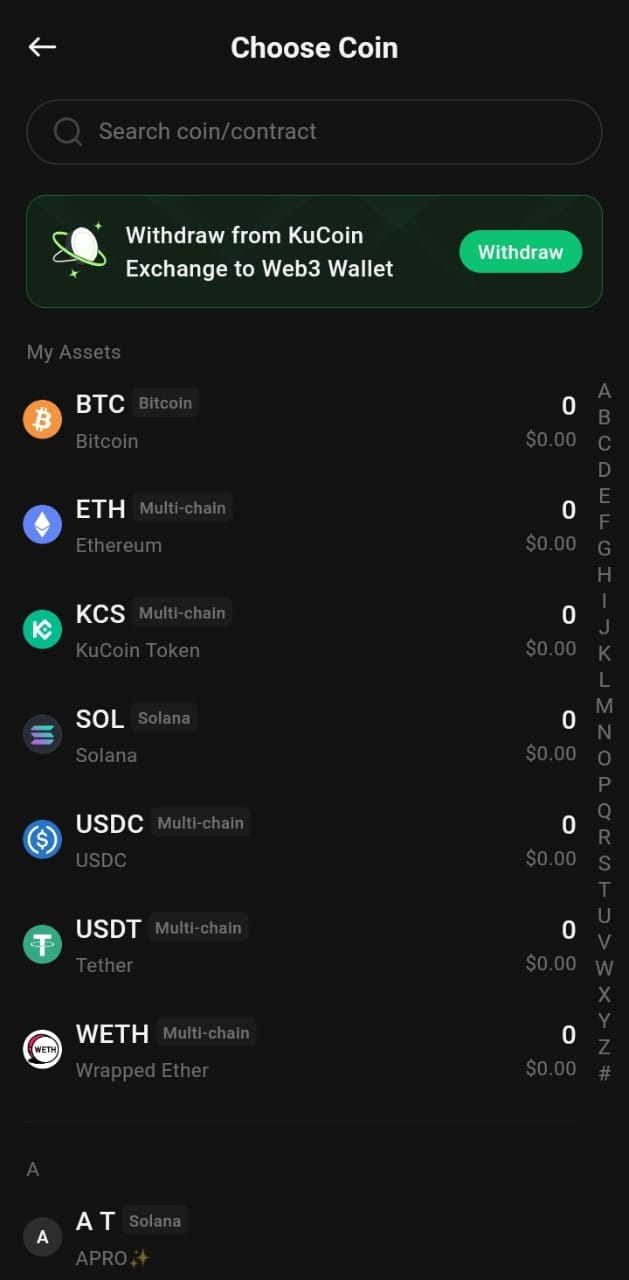
- Send ETH to this address from Binance, Coinbase, OKX, or any other wallet you control.
- Wait for the Ethereum transaction to confirm.
- Once it settles, your ETH balance appears in KuCoin Web3.
3. Open the swap screen
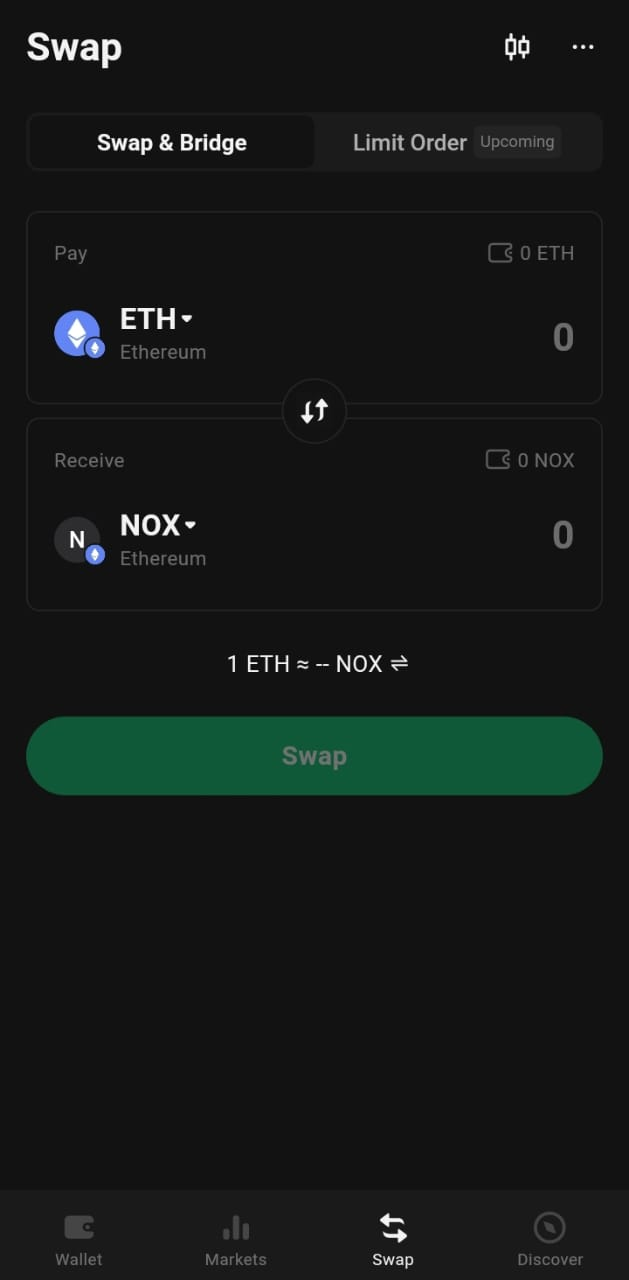
In the KuCoin Web3 Wallet, open the Swap feature. KuCoin Web3 uses a cross-chain swap aggregator, but here you stay on Ethereum.
Set From to ETH.
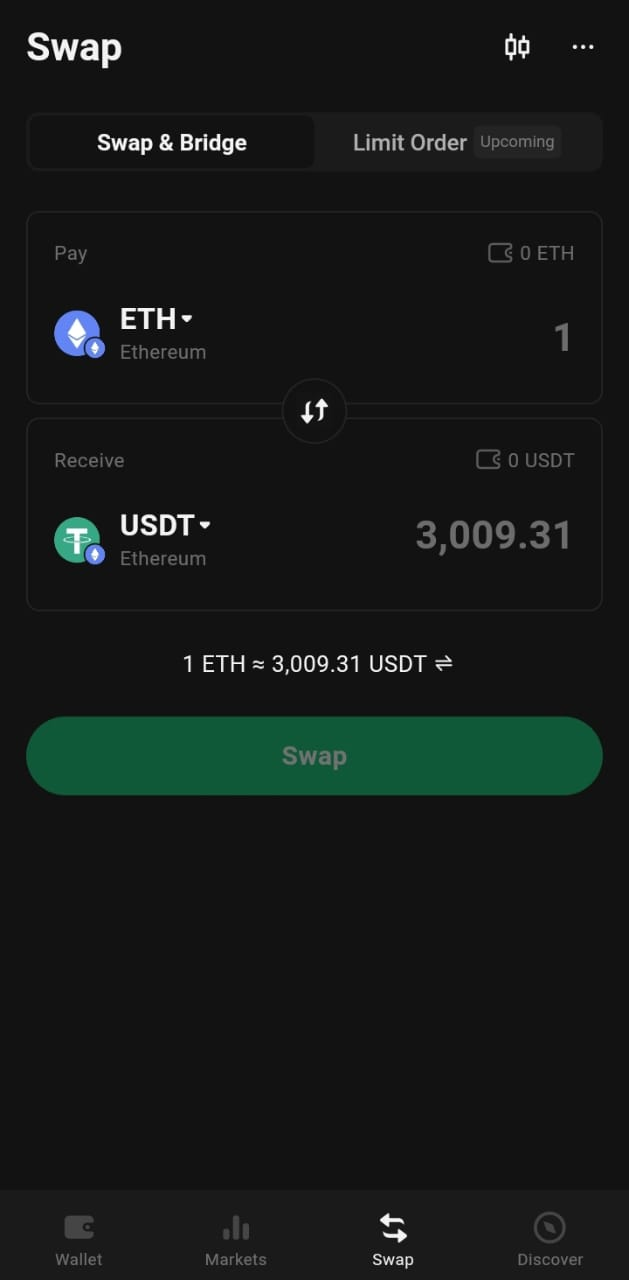
Confirm that the network is Ethereum in the swap view.
To avoid any fake tokens, always use the official contract.
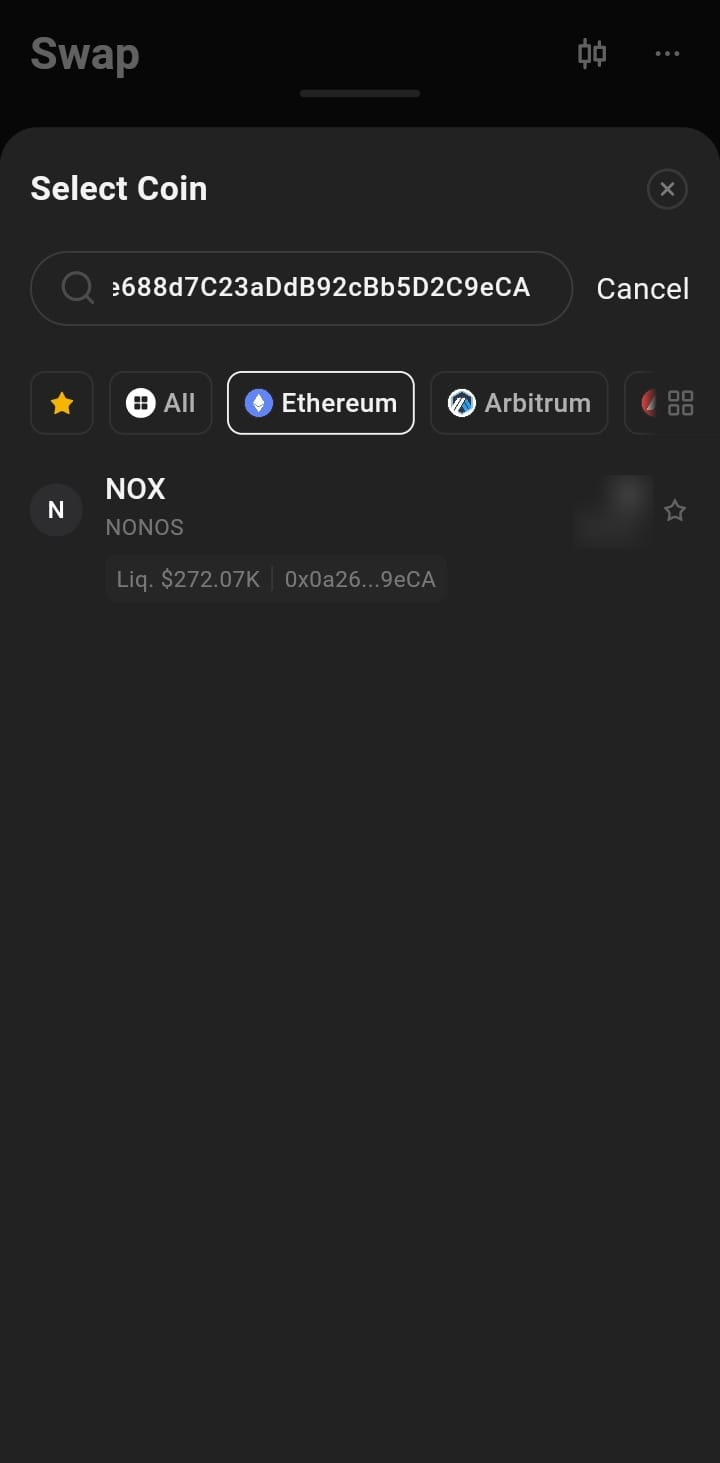
In the To field, tap the token selector or search box.
Paste the NOX contract address:
0x0a26c80Be4E060e688d7C23aDdB92cBb5D2C9eCA
KuCoin Web3 loads the NOX token entry.
Select NOX so it appears as the output token.
This step is vital for how to buy NOX in KuCoin Web3 safely.
Set slippage to 3–5%. This setting matters for how to buy NOX in KuCoin Web3 without failed trades.
Now you can complete the trade.
Enter how much ETH you want to swap.
Check the quote, price impact, and fees.
Tap Swap or Confirm.
Approve the transaction when KuCoin Web3 asks you to sign. KuCoin Web3 uses its DEX routes to execute the swap on Ethereum while you keep custody of your wallet
Go back to the Web3 Wallet asset list.
Look for NOX under your Ethereum assets.
If you do not see it at once, refresh the asset view or search by token name or contract address.
You have now completed how to buy NOX in KuCoin Web3 using ETH and the built-in swap tool.
How to Buy NOX in KuCoin Web3 always starts with funding ETH on the Web3 side, not only on the spot account. If a swap fails, check that:
- The network is Ethereum,
- Slippage is in the 3–5% range, and
- You have enough ETH left for gas.
For other wallets beyond KuCoin Web3, you can use the main how to buy the NOX token guide on the NONOS site and follow the same core steps: fund ETH, paste the contract, and swap on Ethereum.
The Trustless Operating System for sovereign computing.