


The Trustless Operating System for sovereign computing.


1. Install or update Exodus.
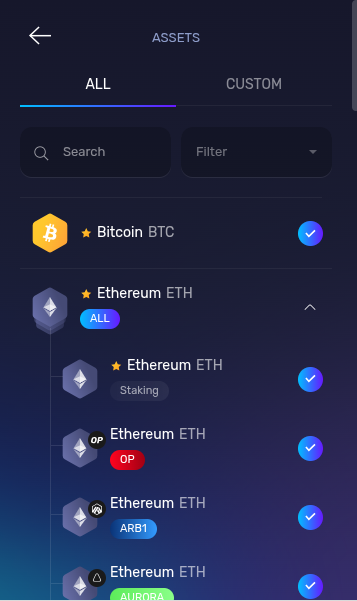
Install Exodus on desktop or mobile, or update to the latest version. Open the wallet and confirm Ethereum (ETH) is visible in your asset list. If not, enable Ethereum from the assets menu.
2. Buy ETH with a supported provider.
Tap Buy & Sell on the main dashboard.
Select Buy Crypto and choose Ethereum (ETH). Enter the amount you would like to purchase.
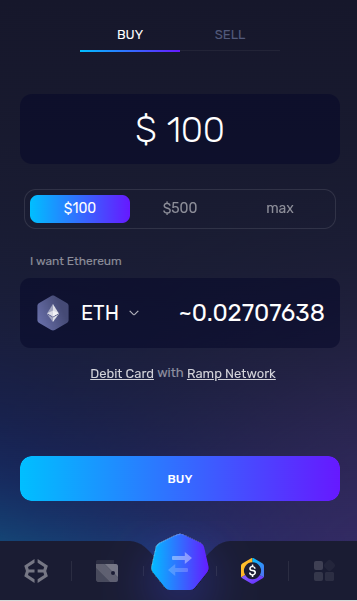
Select a provider such as MoonPay, Ramp, or other options shown in Exodus.
Complete all required steps (including KYC if prompted). Your ETH will appear in your wallet after the Ethereum transaction confirms.
3. Add NOX to your asset list.
Exodus treats NOX as a custom token, so you must add it before a swap.
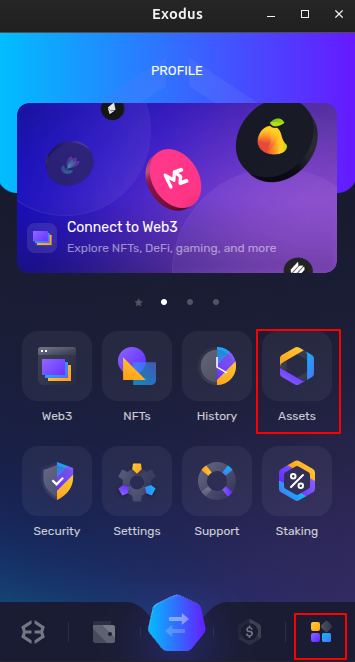
Tap the bottom right icon to open the Profile section.
Tap Assets.
Go to the Custom tab.

In the contract field, paste the official NOX contract address:
0x0a26c80Be4E060e688d7C23aDdB92cBb5D2C9eCA
Exodus will detect the NOX token and show it with a toggle or radio button.
Turn the NOX toggle on, then tap Add Custom Token at the bottom.
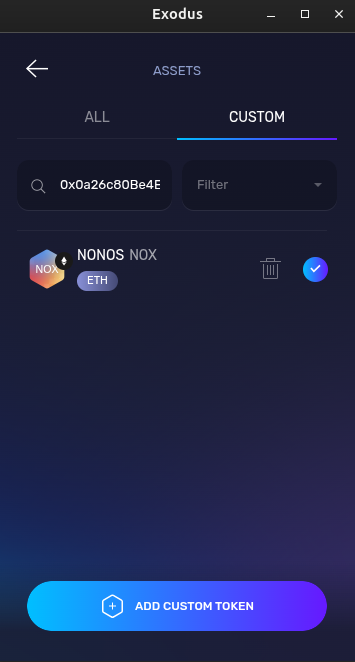
Go back to your Assets view and confirm that NOX now appears in your list.
This step only adds visibility. It does not buy the token.

4. Swap ETH for NOX.
Tap the center button to Swap.
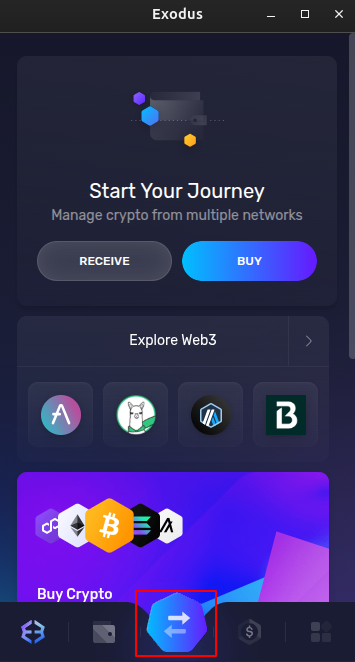
From: ETH
To: Select NOX from your asset list. If it does not appear, you can paste the contract address again in the token picker.
Set Slippage = 3–5% to allow for the transfer tax on NOX.
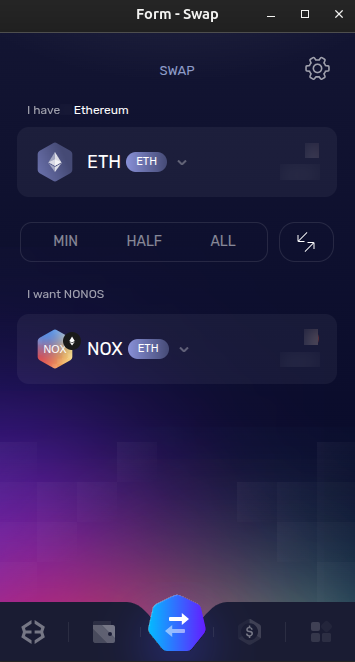
Review the swap details and tap Swap to execute. Exodus will choose a route on Ethereum and submit the transaction.
5. Confirm and verify.
Wait for the transaction to confirm on Ethereum.
Once confirmed, your NOX balance will show under Assets → NOX.
If it does not appear, return to Profile → Assets → Custom and ensure NOX is still enabled.
If Rainbow ever fails to load the token, you can use uniswap with WalletConnect, paste the same contract address, set 3–5% slippage, and swap there. Always confirm the contract address is 0x0a26c80Be4E060e688d7C23aDdB92cBb5D2C9eCA before approving a swap.
The Trustless Operating System for sovereign computing.