

The Trustless Operating System for sovereign computing.


How to Buy NOX in Binance Web3 is simple once you switch the Binance app into its Web3 mode. Binance Web3 runs as a non-custodial wallet inside the main app, giving you full control of your keys. This guide explains how to buy NOX in Binance Web3 by adding ETH, searching for NOX with the contract address, and completing the swap on Ethereum.
1. Open the Binance app and enter Web3 Wallet
Open the Binance app on your device.
Tap the Wallets icon at the bottom.
Choose Web3 from the top menu.
Make sure the wallet is unlocked and set to Ethereum.

2. Add ETH to your Binance Web3 wallet
You can fund ETH in two ways:
Use your Binance spot account: Tap Deposit to Web3, select ETH, and move ETH directly from your Binance spot balance into Web3.

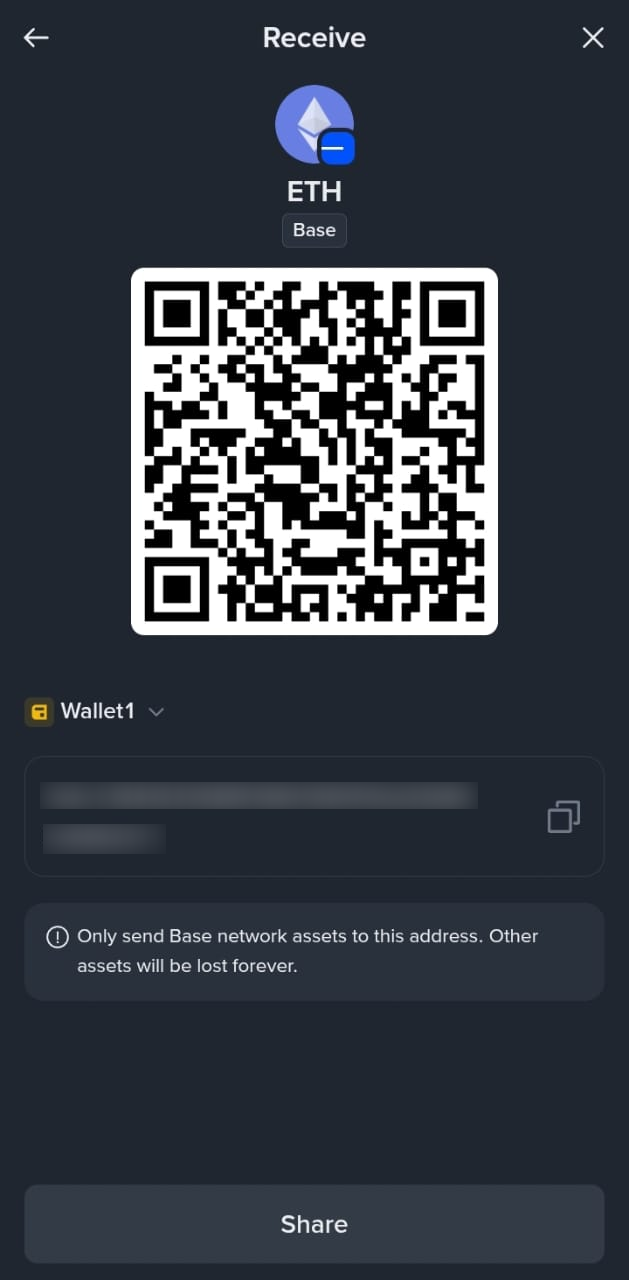
Use Receive: Tap Receive, choose Ethereum, and copy your address. Send ETH from an exchange or an external wallet.
Your ETH appears once the transfer confirms on Ethereum.
3. Open the Swap tool
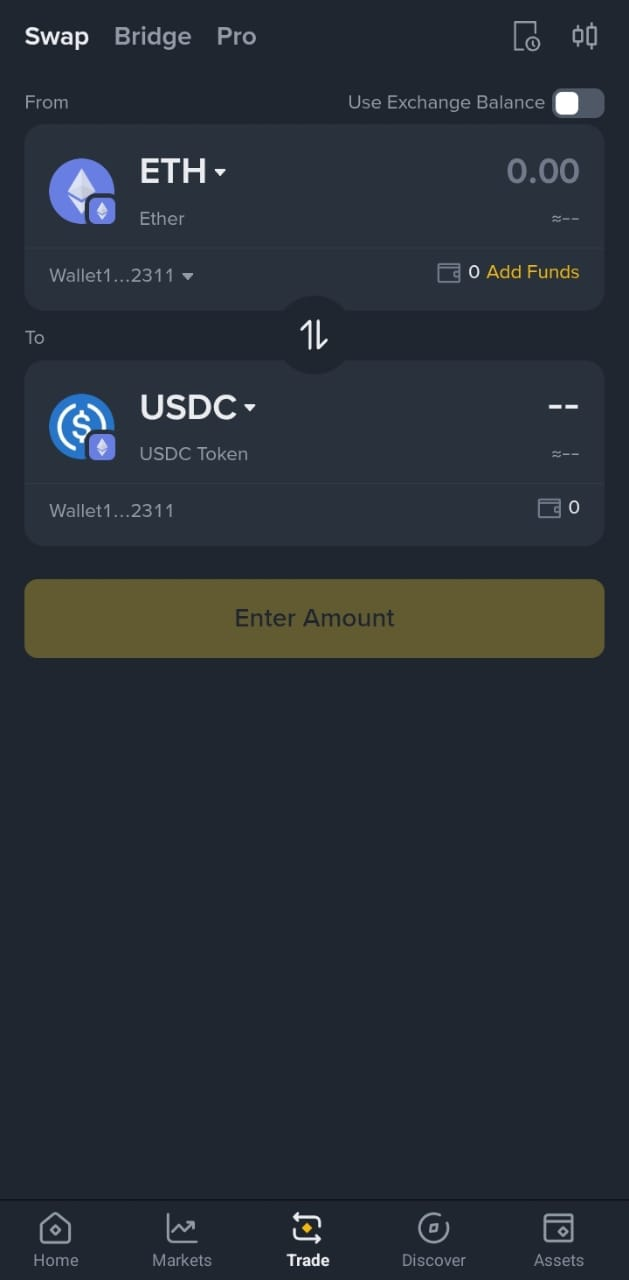
In the Web3 Wallet screen, tap Swap.
The form loads with From as ETH if you have an ETH balance.
4. Search for NOX by contract
In the To field, tap the token selector.
Paste the NOX contract address:
0x0a26c80Be4E060e688d7C23aDdB92cBb5D2C9eCA
Binance Web3 detects NOX.
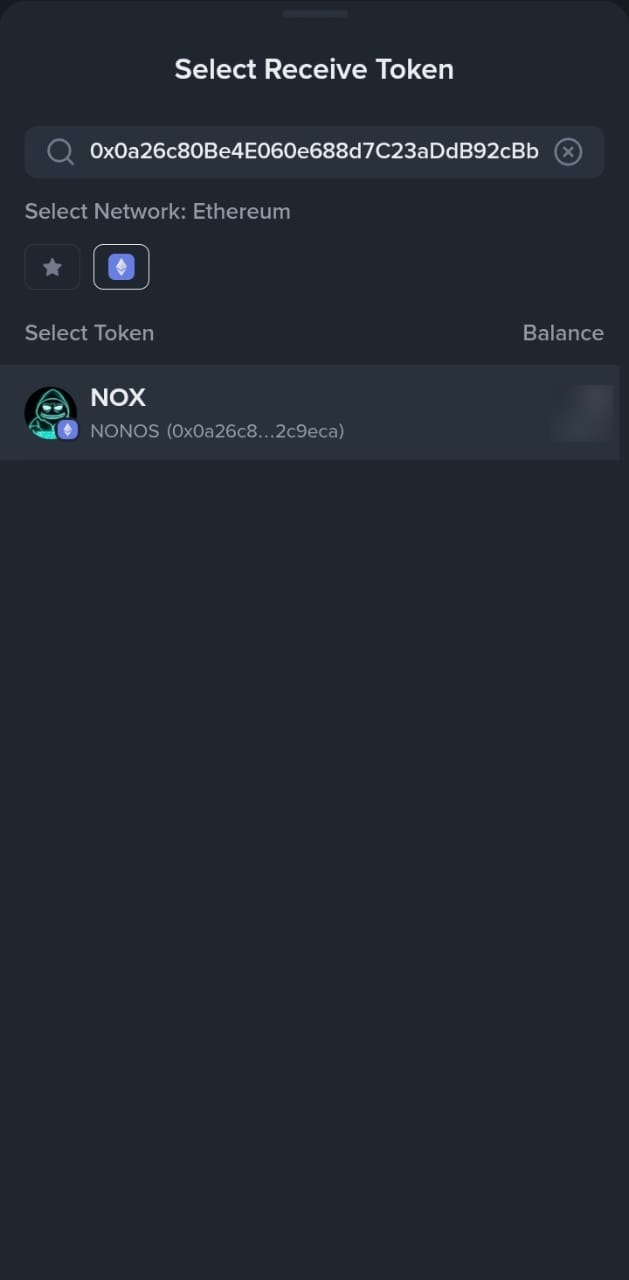
Tap NOX to add it to the swap form.
Set slippage to 3–5% to allow for the transfer tax on NOX. Close the panel.
5. Swap ETH for NOX
Enter the amount of ETH you want to trade.
Tap Swap.
Review the route and fees.
Binance Web3 uses its DEX routes to find a path on Ethereum.
Approve the transaction when the wallet prompts you.
6. Check your NOX balance
Return to your Web3 asset list.
Your NOX balance shows once the swap confirms.
If it does not appear at once, search for NOX again using the contract address.
How to Buy NOX in Binance Web3 works the same no matter where your ETH comes from, as long as it arrives in your Web3 Wallet. If the swap fails, adjust slippage or check your gas. For more wallet options, see the rest of the NOX guides on the NONOS site.
The Trustless Operating System for sovereign computing.